Plan, build, run and share on one map
Your coding agent lays the product out on the map and builds from it story by story. You steer the plan, and your team and client see the same map.
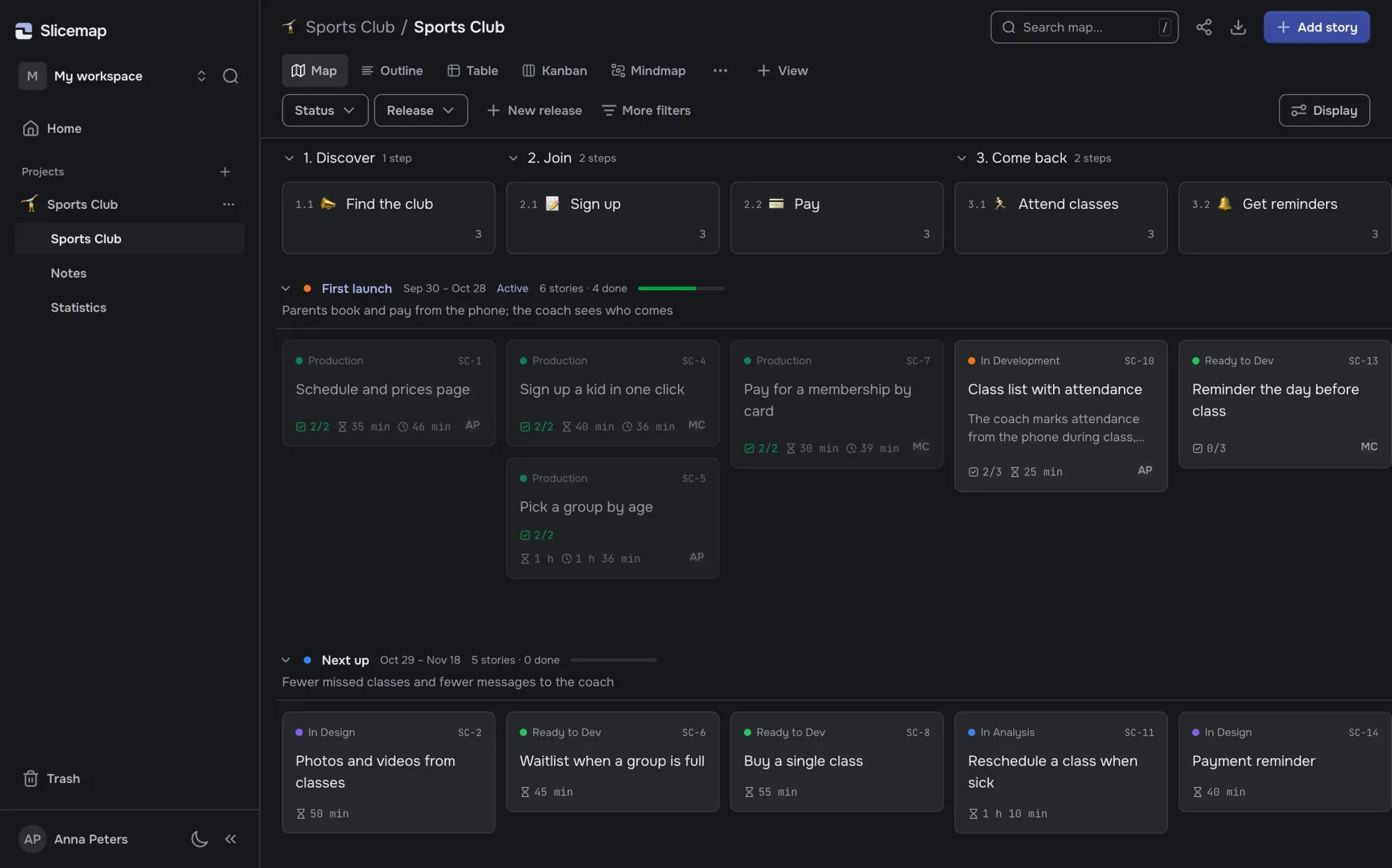
The map your agent lays out
Steps of the user’s journey run across the top, grouped into chapters. Stories with acceptance criteria sit under each step, releases cut across the map as rows, each with dates and a goal, and stories without a release wait in the backlog. Your agent creates all of it from your description; you edit it by hand or by asking.
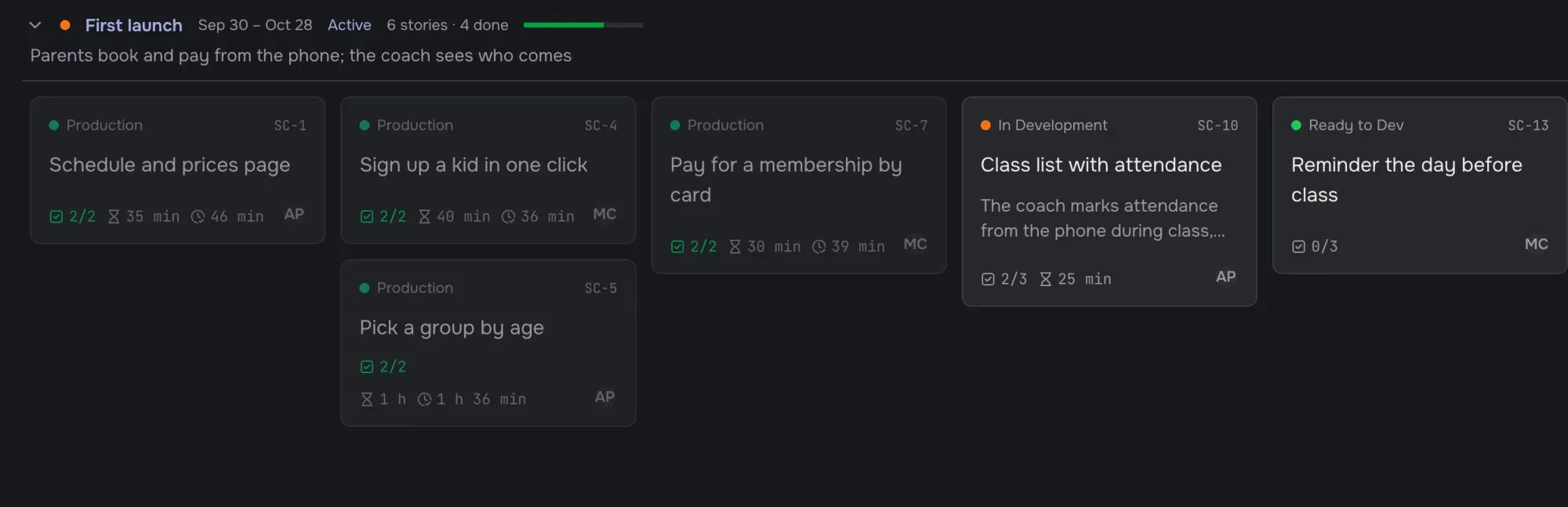
Five views of one map
Views are tabs above the map, shared by everyone on it. Each tab keeps its own filters, grouping, sorting and the fields it shows. Edit on any of them, and the board updates for everyone without a reload.
Map
Steps of the journey across, releases down.
Kanban
Stories in columns by stage, or by any other field.
Outline
The map as an indented list you edit from the keyboard.
Table
Every story in rows, grouped and sorted the way you need.
Mindmap
The map as a tree, with drag and drop.
Stories your agent can finish
A story is a task with acceptance criteria as a checklist. It has a short number like SM-142, an assignee, a description with checklists and tables, and a stage. Stages are your own, each with a description of what happens in it and when a story moves on, so the agent knows too.
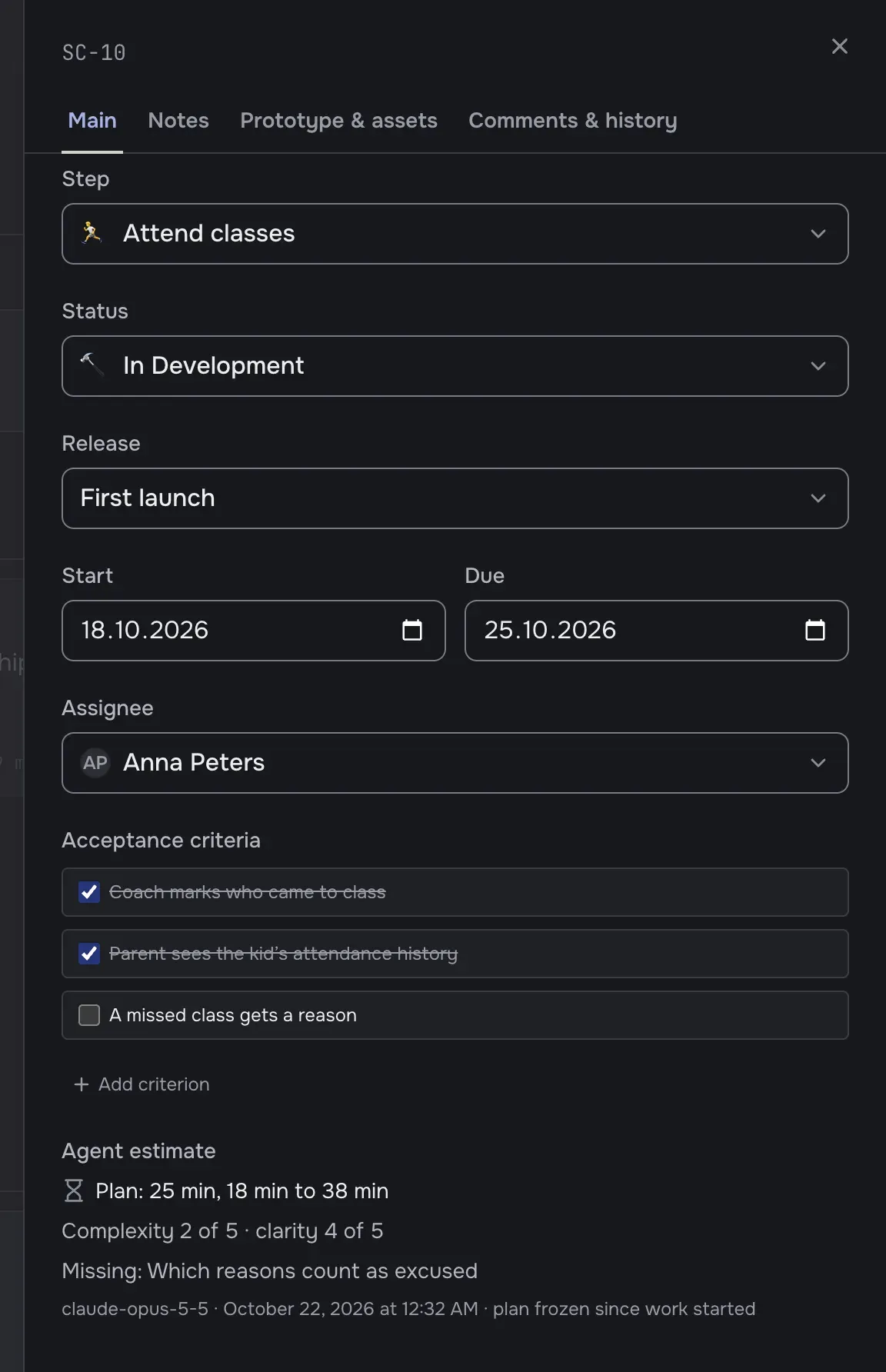
The agent loop
You type one line. The agent takes the next story of the active release, estimates it in minutes of its own work before coding, moves it into work, checks off each criterion as it verifies it and records the minutes it actually spent. A story can’t close while a criterion is unchecked, and the Statistics page shows plan against actual.
> take the next story from Slicemap

slicemap_next_story
  SM-17 “Class list with attendance”, 3 criteria
slicemap_estimate_story
  40–70 min, clarity 4 of 5
slicemap_update_story_status
  In Development
  …writes the code, runs the tests…
slicemap_toggle_ac_done
  ✓ Coach marks who came to class
slicemap_record_work
  55 min
Your team and your client
Invite your team by a link to a role: admin, member or viewer. Each agent gets its own key, and every card shows who changed it last: a person or “Agent (name)”. Your client gets a read-only link and sees the same map on any device, without an account.
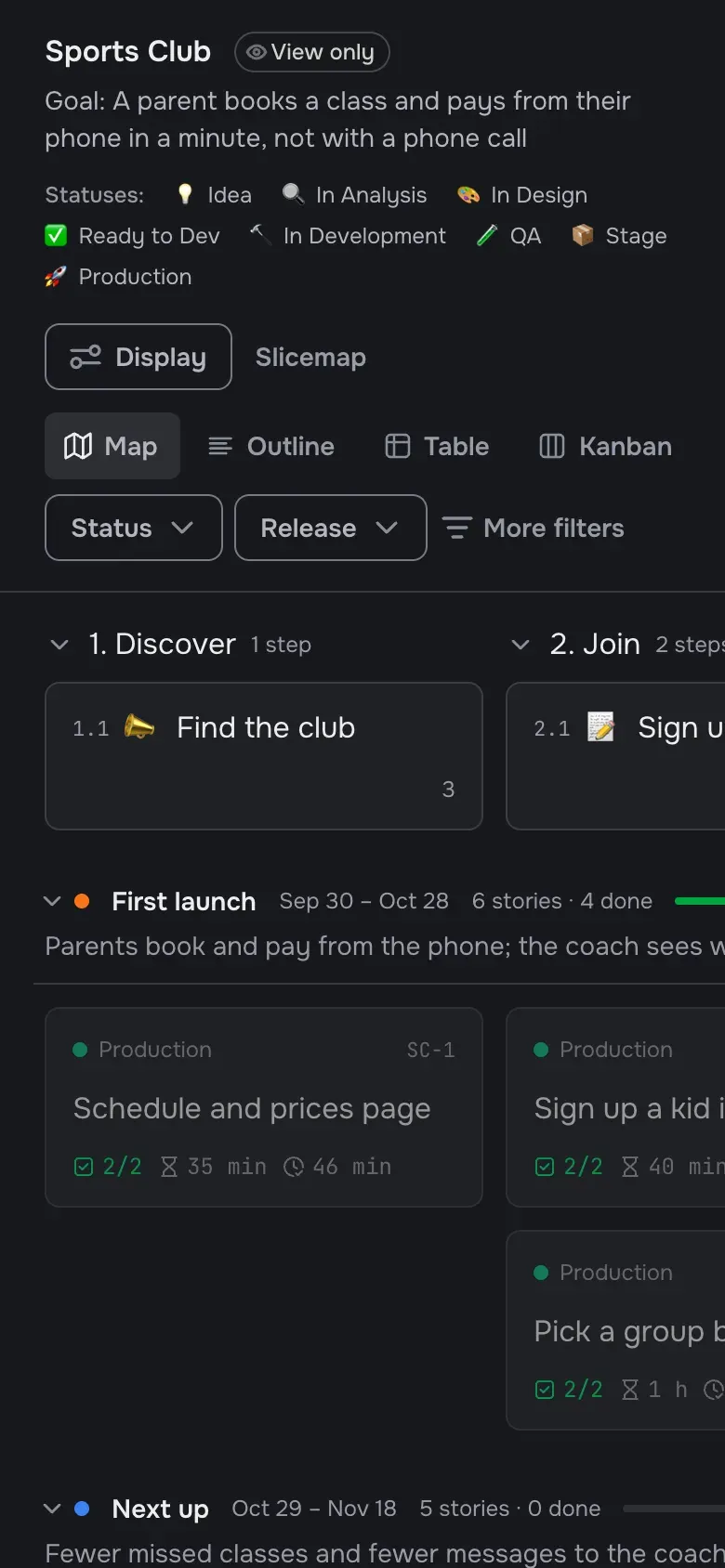
Your data
Stored in the EU
Your maps are stored in the European Union (Lithuania).
Export any time
Export any map to JSON or Markdown whenever you want.
No access to your code
Slicemap never sees your repository and never calls a model. It keeps the map your agent works from.
Try it on your own project
Sign-up takes a minute. The beta is free, and everyone who joins now gets three months of the paid plan for free when paid plans start.
Join the free beta