Your coding agent plans on the map and builds from it.You run the product.
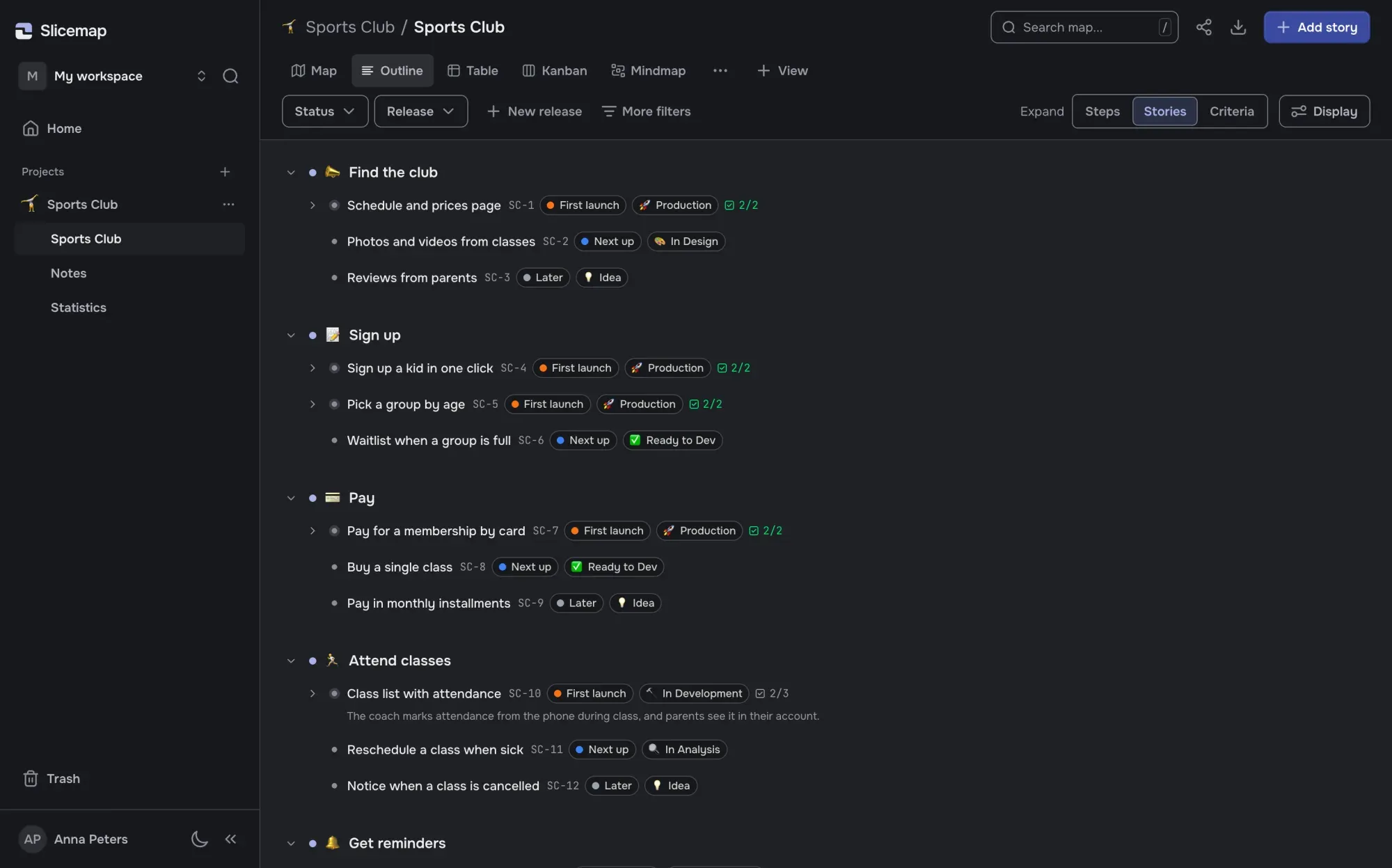
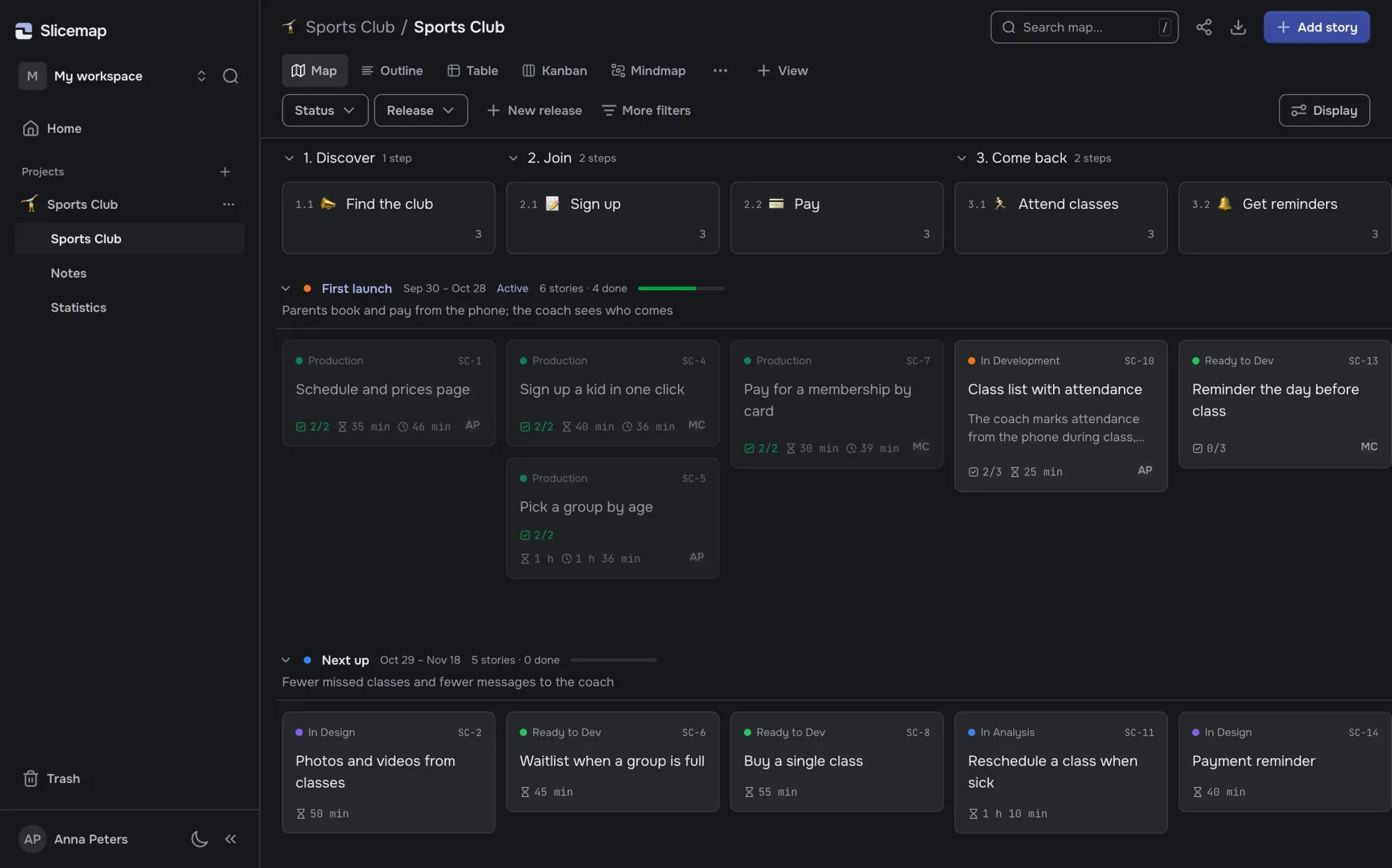
Your agent lays the product out as steps of the user’s journey, stories with acceptance criteria and releases. Then it builds story by story—a story can’t close while a criterion is unchecked.
Join the free betaWorks withClaude CodeCodexCursorany MCP client
Heard on Hacker News
“…during compaction, it forgets it.”
On a plan kept in plan.md · Oct 3, 2026
“‘Done, all tests pass.’ Except they don’t.”
On coding agents · Sep 25, 2026
“…being a dispatcher for Claude Code and Cursor.”
On running agents by hand · Jul 3, 2026
How it works
- 1
Connect your agent
One command for Claude Code, a few lines of config for Codex, Cursor and other MCP clients. Slicemap never sees your repository and never calls a model.
claude mcp add --scope user --transport http slicemap https://app.slicemap.dev/api/mcp --header "Authorization: Bearer <your-api-key>"
- 2
Your agent plans on the map
Tell it what you are building and for whom. It lays the product out: steps of the user’s journey grouped in chapters, stories with acceptance criteria, releases with a goal and dates. You fix what’s off by hand or in one line.
- 3
It builds story by story
It takes the next story of the release, estimates it in minutes before coding, moves it through your stages and checks off each criterion as it verifies it. A story can’t close while one is unchecked.
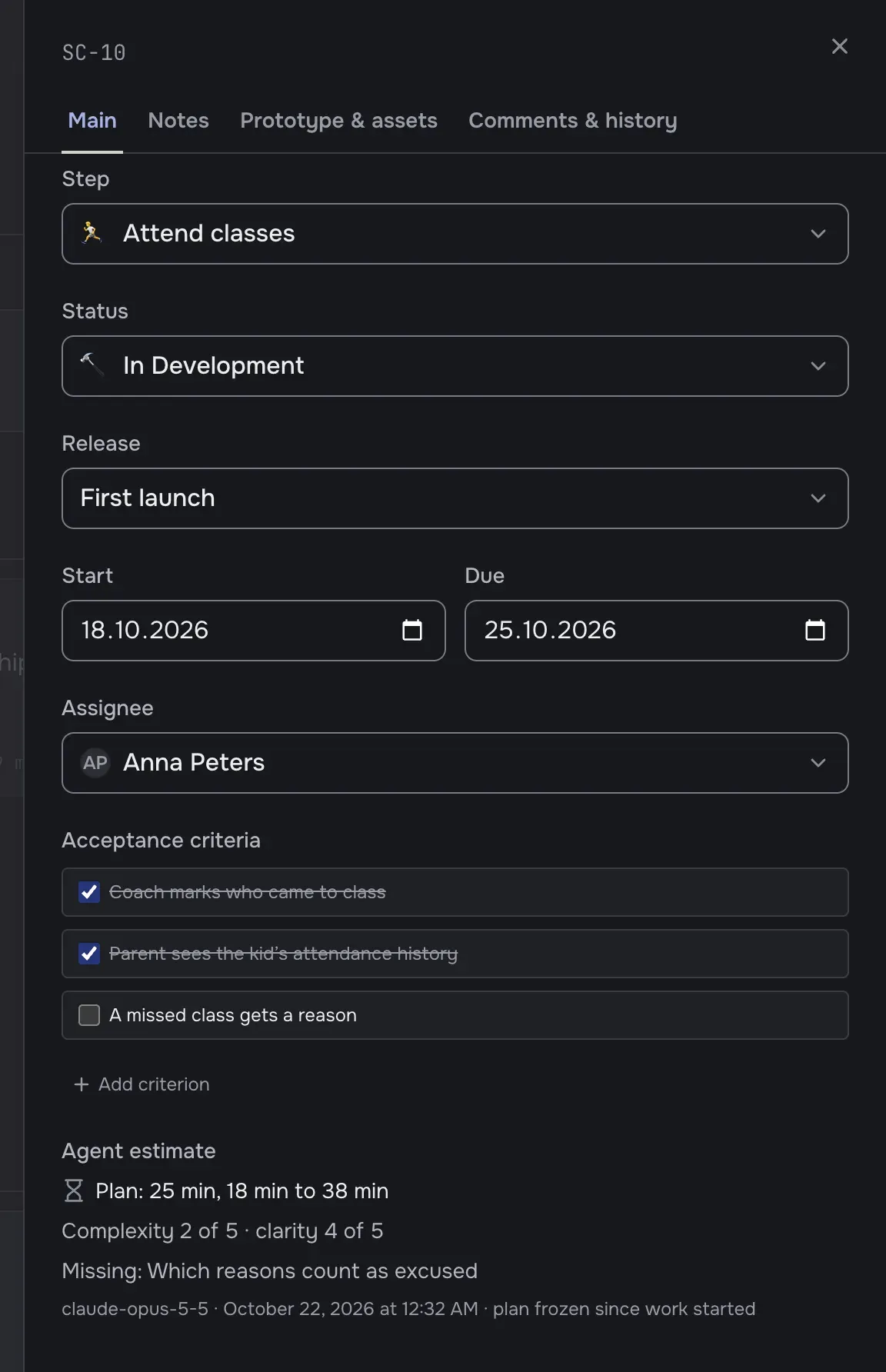
You run the product
The agent plans and builds. You see where things stand, steer the plan and accept the work against the same criteria.
Five views of one map
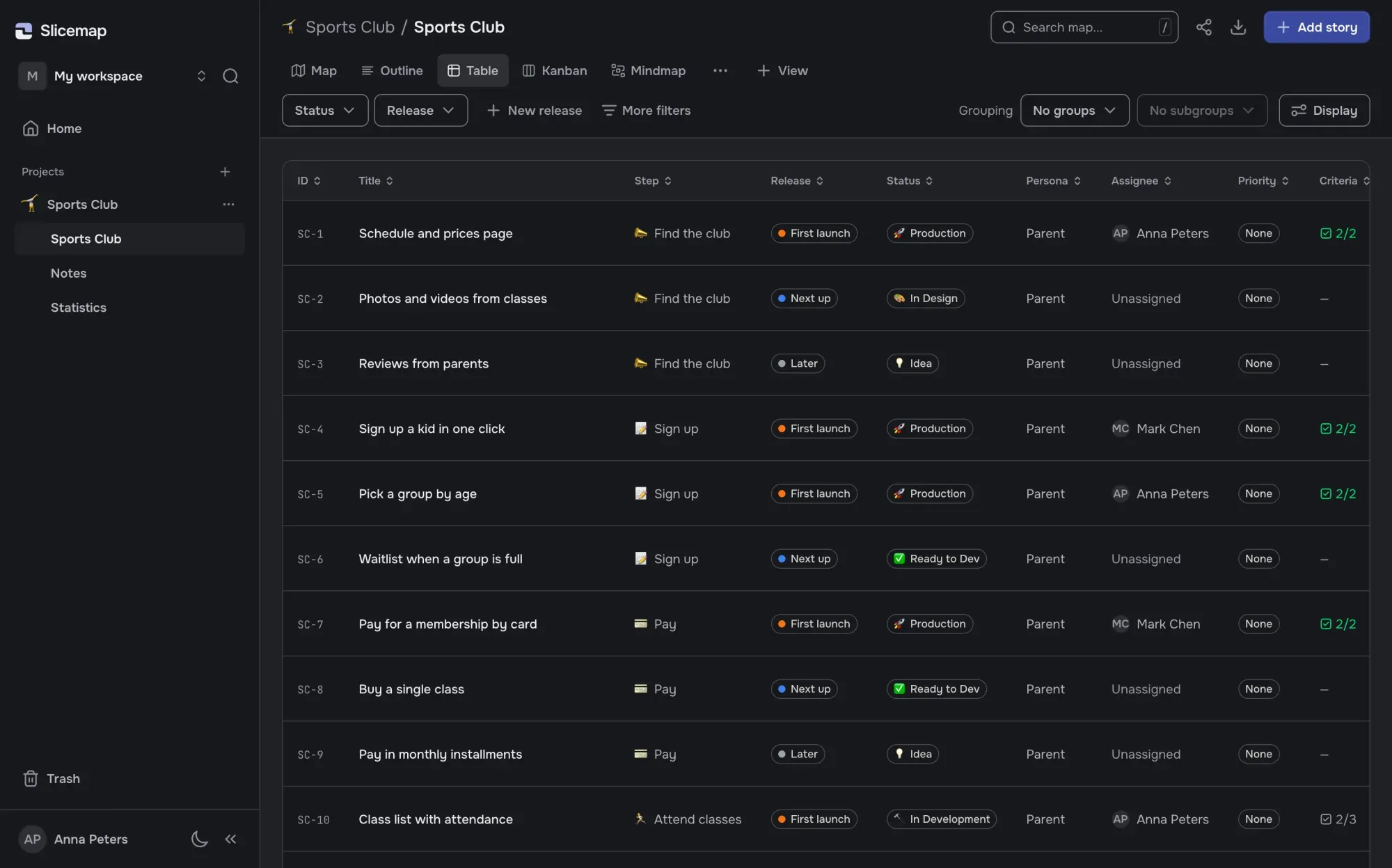
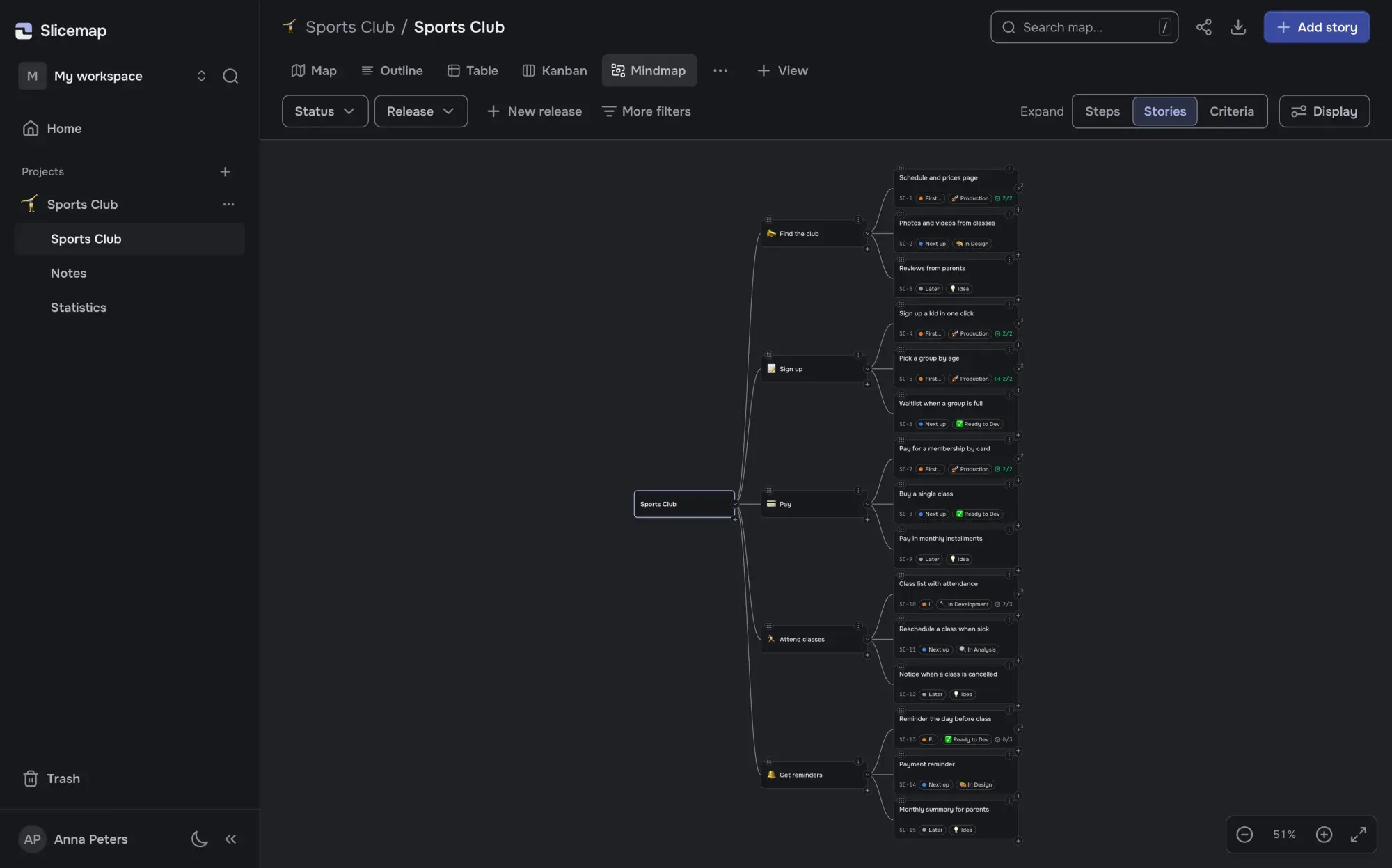
Map, Outline, Table, Kanban and Mindmap. Each view is a tab with its own filters, shared with your team.
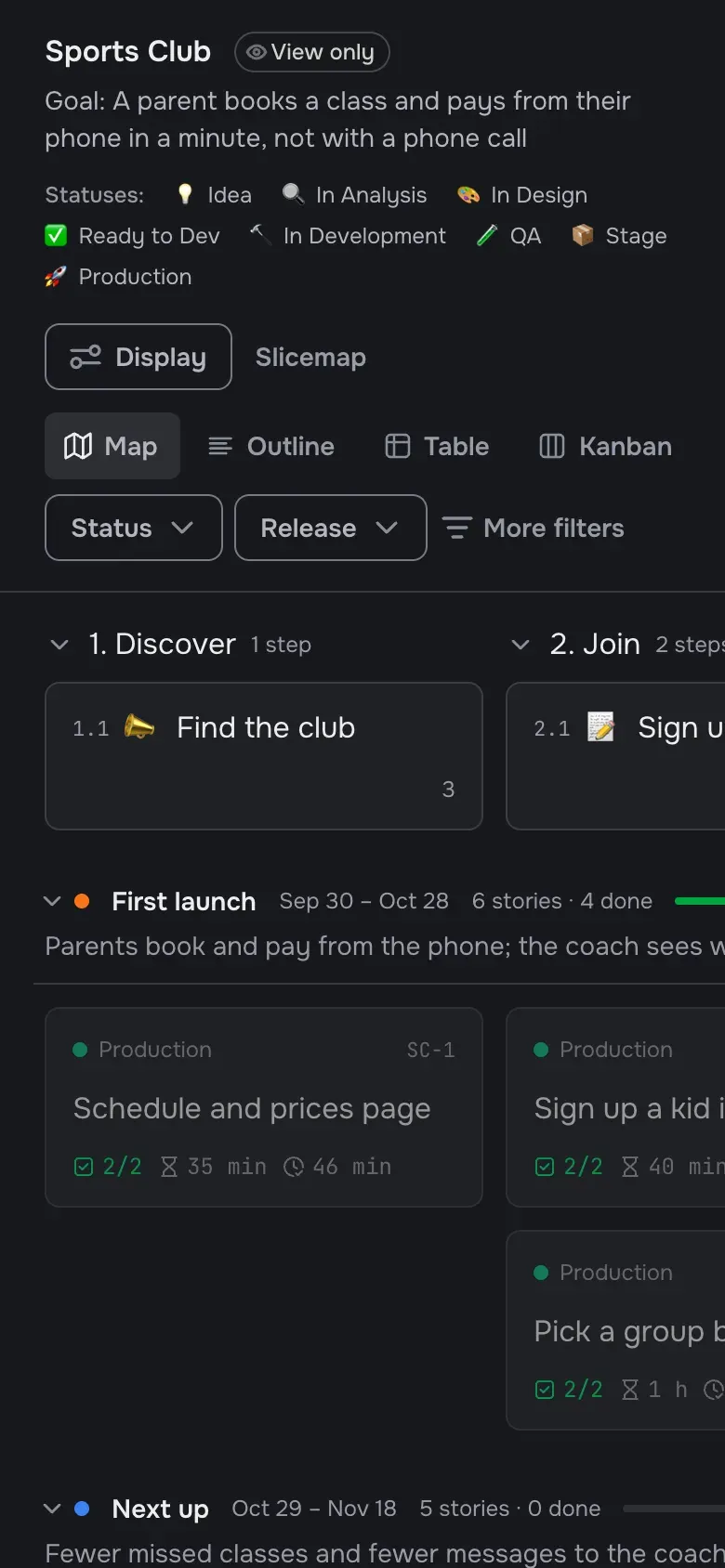
A link for your client
Your client opens the map by link, no account needed, and sees what is done, in progress and next.
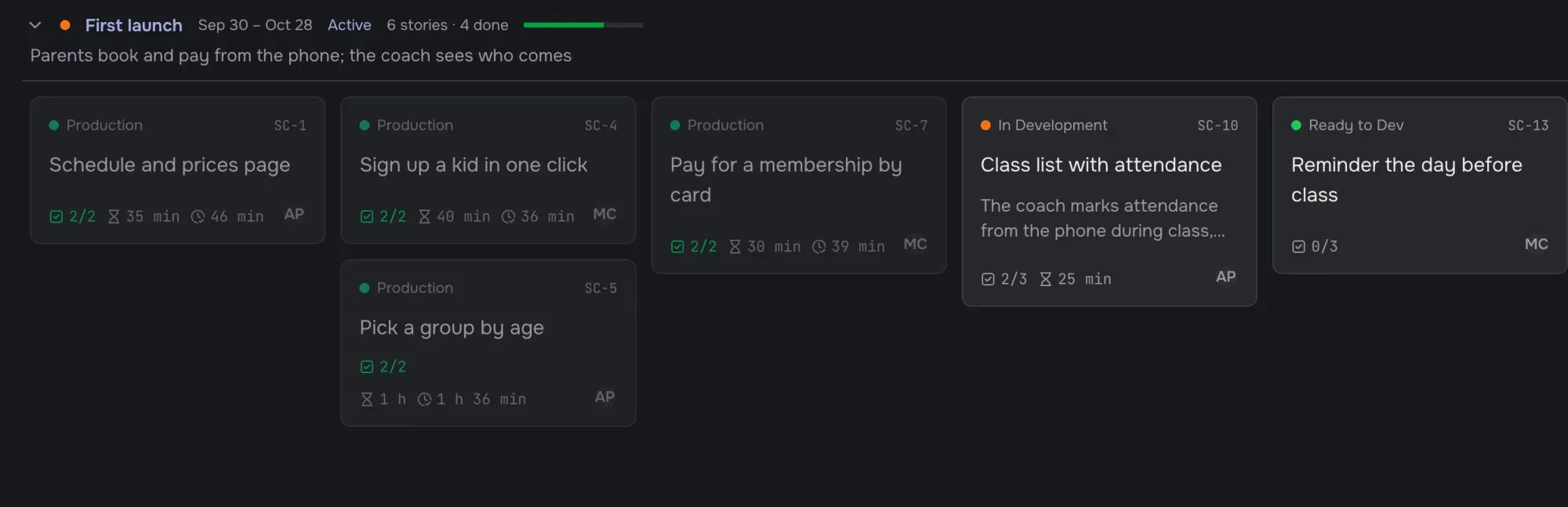
Releases with a goal and dates
Releases are rows across the map. The agent sorts stories into them; you decide what the first one can’t ship without.
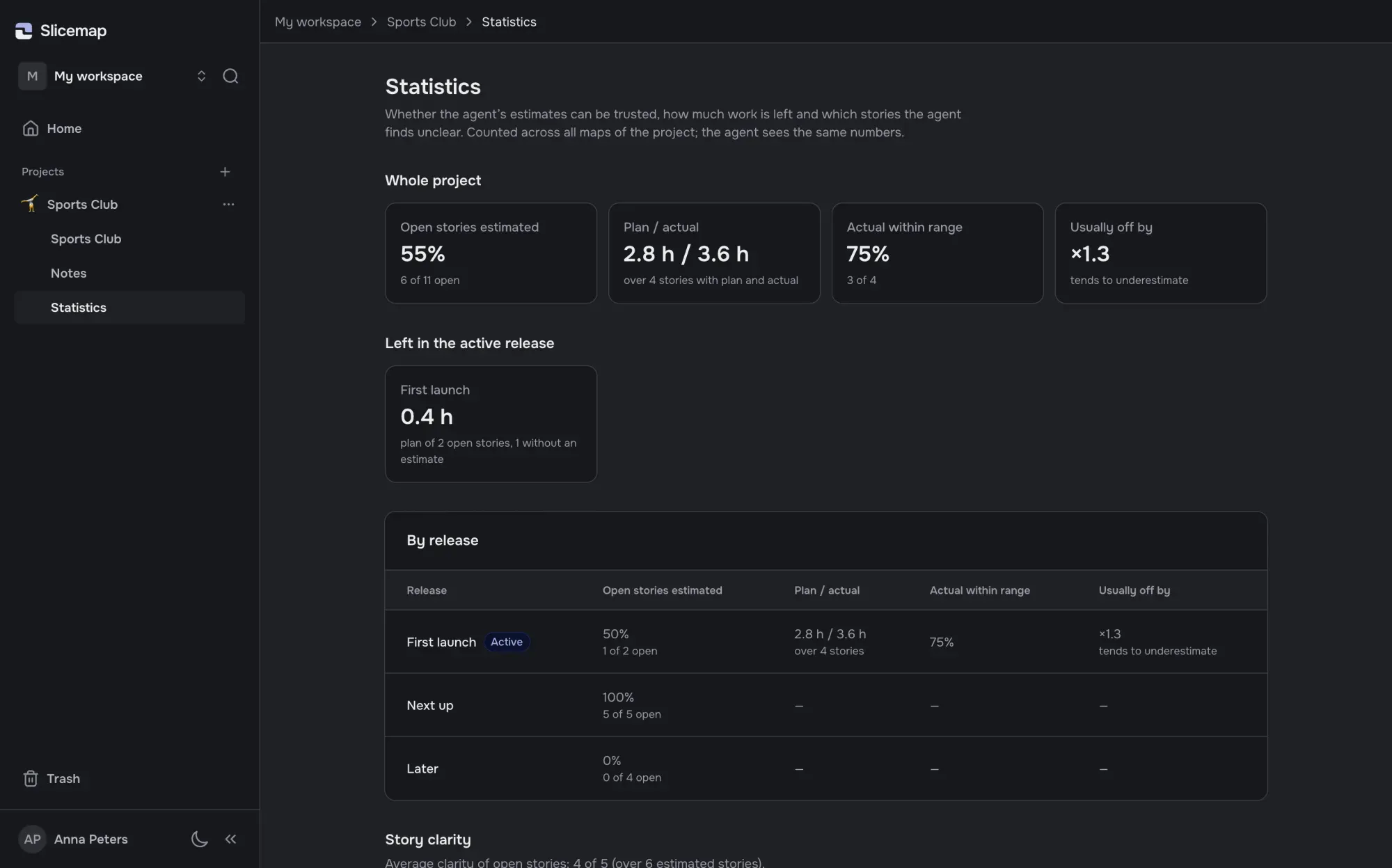
Plan against actual
The agent estimates each story in minutes before coding and records what it took. Statistics show how far off it usually is.
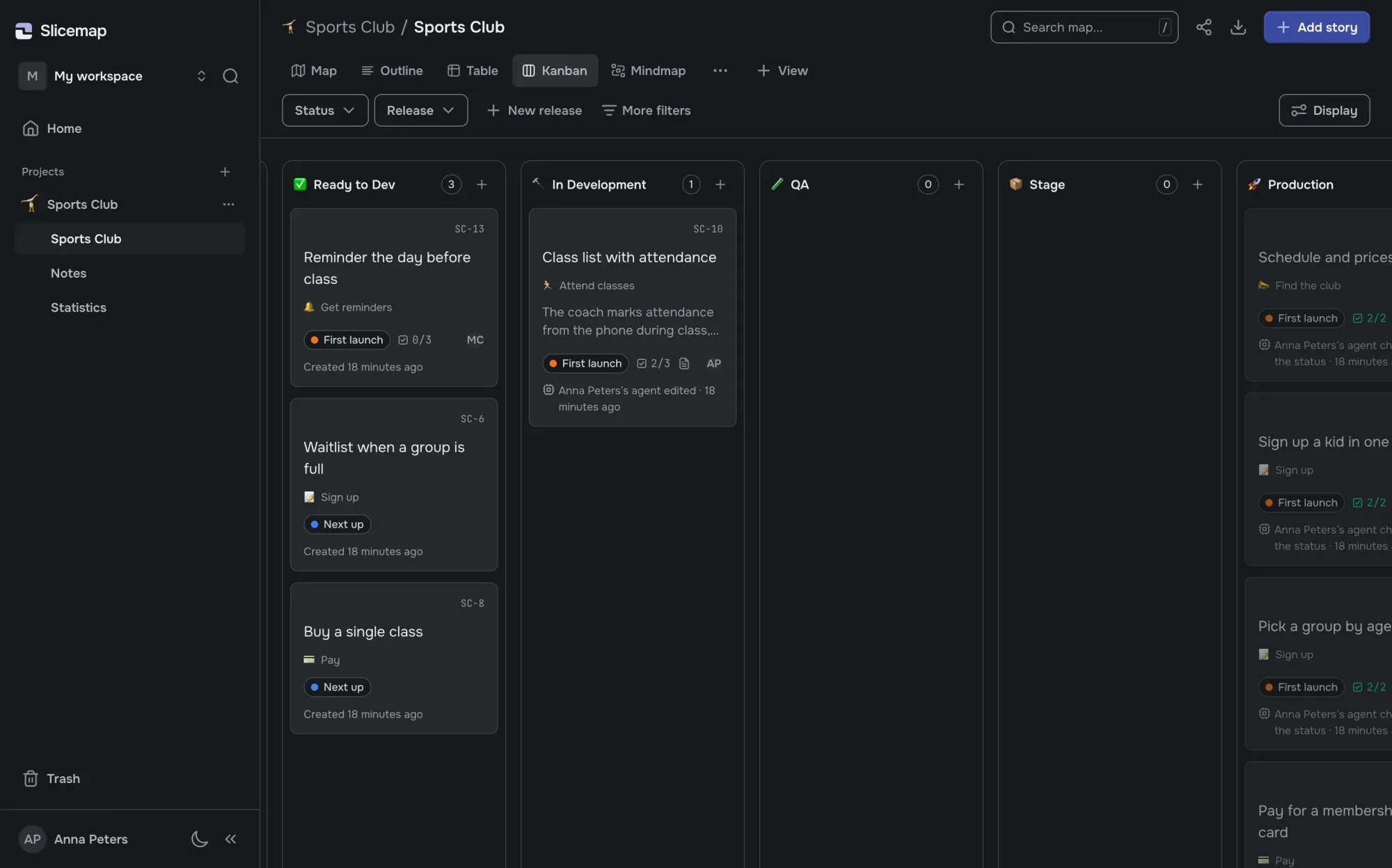
Every change is signed
Each card shows who changed it last and when: you, a teammate or the agent.
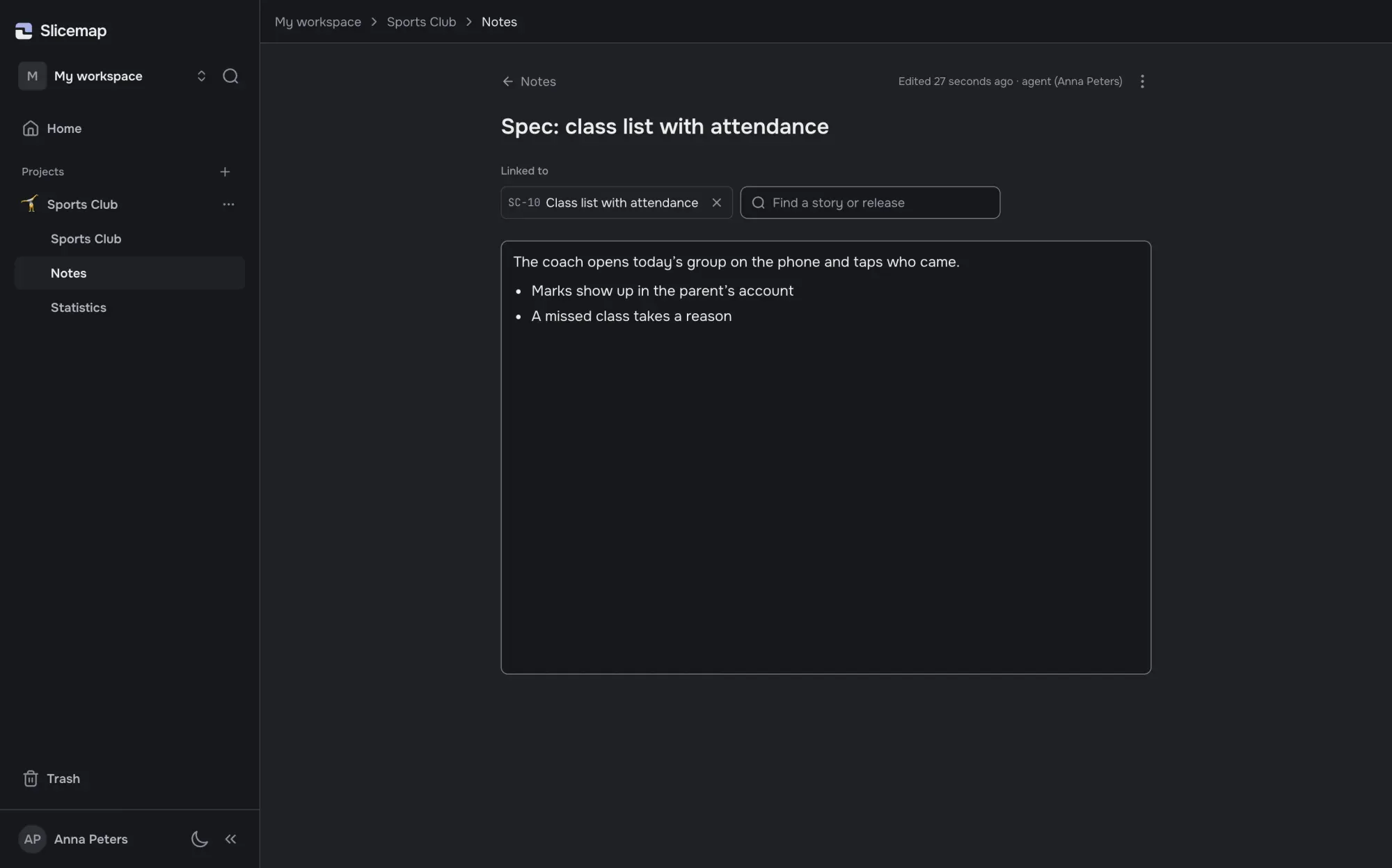
Notes next to the stories
Specs and decisions live in project notes linked to stories and releases. The agent reads them before it builds.
How it’s different
| Slicemap | A PLAN.md file | A tracker with MCP | A story mapping tool | |
|---|---|---|---|---|
| The user’s journey, stories and releases on one map | Yes | No, a list in a file | No, a list of tasks | Yes |
| Your agent reads and changes it | Yes, over MCP | Yes, it’s a file | Yes, over MCP | Depends on the tool |
| The agent takes the next story of the release itself | Yes | When you ask | When you ask | Depends on the tool |
| A story can’t close while a criterion is unchecked | Yes | No | Usually not | Usually not |
| Estimate before code, minutes worked after | Yes | No | Usually not | Usually not |
| Who changed a card last: a person or the agent | Yes | In git history | Partly | Usually not |
| Your client follows by link, no account | Yes | No | Depends on the tool | Depends on the tool |
Columns are kinds of tools, not products: details vary from one to another. Comparisons with named products, sources and dates: vs a PLAN.md file · vs Linear or GitHub Issues · All comparisons
Free during the beta
No limits and no card to enter while Slicemap is in beta.
- Everyone who joins during the beta gets three months of the paid plan for free.
- 30 days’ notice before any paid plan starts.
- Export any map to JSON or Markdown at any time.
Questions
Who makes the map, me or the agent?
The agent: from your description it creates the steps of the user’s journey, stories with acceptance criteria and releases. You decide: edit the map by hand or by asking the agent, and pick what goes into each release.
Which agents does it work with?
Claude Code, Codex, Cursor and any other MCP client. You add Slicemap by its address and a personal key: one command for Claude Code, a few lines of config for the others. Nothing to install.
I already keep a PLAN.md. Why a map?
Keep it if it works for you. The difference is who keeps the plan current: on the map, the agent marks progress itself as it works. The same map works from any machine and any repository, your client opens it by link, and you can export it back to Markdown at any time.
Why not a tracker with an MCP server?
A tracker keeps tasks. The map keeps the user’s journey and the release, and the agent takes the next story from it on its own. If your team lives in a tracker, Slicemap doesn’t replace it.
Where is my data stored, and what does Slicemap see of my code?
Your data is stored in the European Union (Lithuania). Slicemap stores the map: stories, criteria, releases and what you write in them. It has no access to your repository or your code.
How much does it cost?
Nothing during the beta, and no card to enter. Before any paid plan starts we give 30 days’ notice, and everyone who joined during the beta gets three months of the paid plan for free.
What happens to my maps if Slicemap shuts down?
You can export any map to JSON or Markdown, in full, at any time.
Who makes Slicemap?
Dmitrii Bugaev, a product manager who builds products with a coding agent—Slicemap included. It grew out of a simple problem: the agent works fast, but every session it asks again what we are actually building. The contacts are at the bottom of the page.
Try it on your own project
Sign-up takes a minute. The beta is free, and everyone who joins now gets three months of the paid plan for free when paid plans start.
Join the free beta